

ProSave V20 is the latest version of the Siemens HMI Tool. It supported all Simatic HMI models. Download it now on plcaz.
Table of Contents
ProSave V20 Key Features
With Simatic ProSave V20, you can:
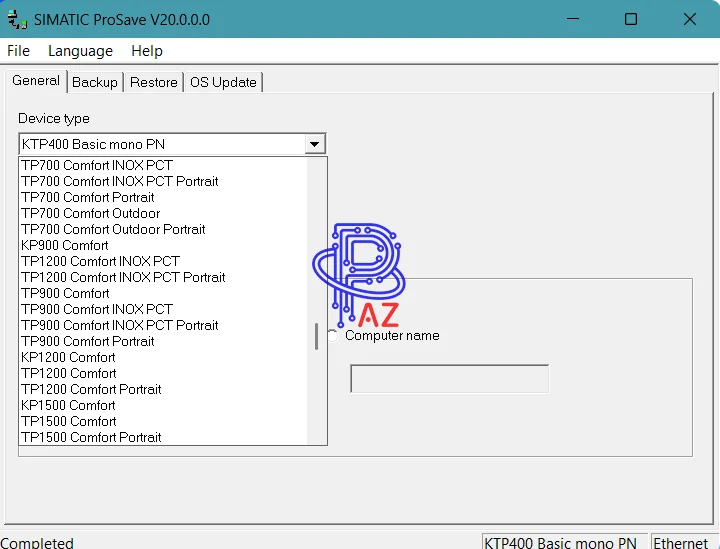
- Back up the Simatic HMI program
- Restore the Simatic HMI program
- Create a Firmware Update for all Siemens HMI products without installing the programming software.
ProSave 20 – HMI Models Supported
Simatic ProSave 20 supports all the newest models of the Siemens HMI as:
- Micro Panels: TP070, OP 73 Micro, TP170 MICRO, TP 177 Micro, KTP-178 Micro
- Basic Panels
- KP300 Basic mono PN
- KP400 Basic color PN, KTP400 Basic, KTP400 Basic mono PN, KTP400 Basic color PN
- KTP600 Basic color DP, KTP600 Basic color PN, KTP600 Basic mono PN
- KTP700 Basic, KTP700 Basic DP
- KTP900 Basic
- KTP1000 Basic DP, KTP1000 Basic PN
- KTP1200 Basic, KTP1200 Basic DP
- TP1500 Basic PN
- Simatic Panels:
- OP73, OP77A, OP77B
- TP170A, TP177A, OP170B, TP170B COLOR, TP170B MONO
- OP 177B mono DP, OP 177B color PN/DP
- TP 177B mono DP, TP 177B color PN/DP
- OP270, TP270, OP 277, TP277
- Mobile Panels
- MOBILE PANEL 170, Mobile Panel 177, Mobile Panel 277
- KTP400F Mobile, KTP700 Mobile, KTP700F Mobile
- KTP900 Mobile, KTP900F Mobile, KTP1000F Mobile
- Multi Panels
- MP177, MP270, MP270B, MP277, MP370, MP370 TOUCH, MP377 Key, MP377 Touch
- Comfort Panels
- KP400 Comfort, KTP400 Comfort, KP700 Comfort, TP700 Comfort
- KP900 Comfort, TP900 Comfort, KP1200 Comfort, TP1200 Comfort
- KP1500 Comfort, TP1500 Comfort, KP1900 Comfort, TP1900 Comfort, TP2200 Comfort
- Comfort Unified Panels: MTP700/1000/1200/1500/1900/2200 Unified Comfort
- C7 Panels
- ProTool Text-Based Panels
- ProTool Graphic Based Panels
- SMART Line HMI: SMART 700, SMART 700 IE, SMART 100 IE (V3 and V4)
Download Prosave V20 Free
- Source: Siemens Automation Software
- File name: PLCAZ.COM_Simatic_Prosave_v20
- Software Type: HMI Software for Simatic HMI
- File type: RAR
- File Size: 496 MB
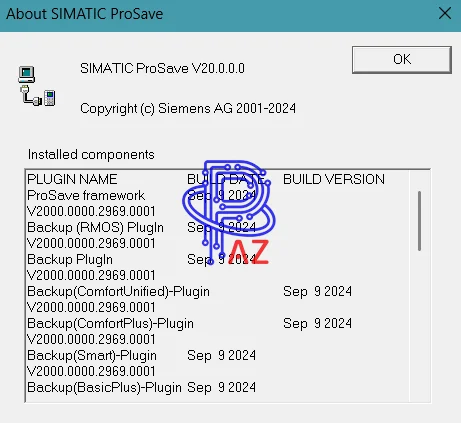
- Version: v20.0.0 – Latest Version
- Windows Supported: Windows 7/8; Windows 10; Windows 11
- Languages: English/ German/ French/ Italian/ Spanish/ Chinese/ Korean/ Japanese
- Link download fast speed – Prosave_v20
- The password to extract the file (If any) is “PLCAZ.COM”.
How To Install The Software
- Firstly, download the setup file at the above link
- Secondly, after downloading the file, use WinRAR (for .zip or .rar files) to extract the file to the PC.
- Thirdly, run the setup file “Prosave v20.exe” and follow the guide to install.
- Finally, open and use the software